
Native owns the call
Pushes are received, reported to CallKit or Telecom, and every answer recorded natively, even before Dart or JavaScript starts.
Incoming and outgoing calls, native audio and video, picture-in-picture and optional call screens for Flutter and React Native, on one shared native core. Your backend, your branding.
Voice, video and native call controls · development build.
Secure PIN and RequireUnlock on Android 16. Keyguard intervals use timestamped screen captures. Licensed sample clips feed the cameras; people shown are not Callx endorsers. Silent recording; the test checks media connection and remote video, not audible speech. Read the transcript · Download MP4
FROM INCOMING TO IN-CALL
Native call ownership, optional UI and a media adapter. See what each layer gives your app.
Native incoming, answer and decline, and in-call controls without unlocking.
Explore this feature →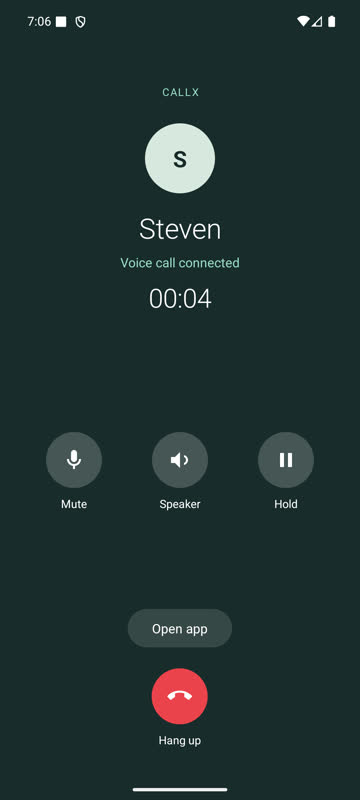
Native video surfaces and camera commands. Choose your own screens or customize the optional Callx UI.
Explore this feature →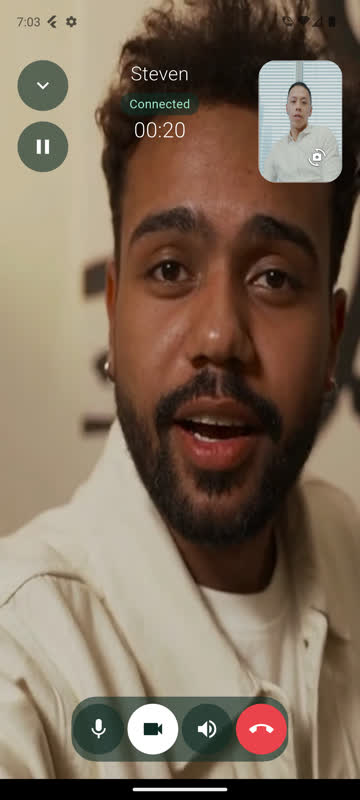
Back minimizes into your app. Expand returns to the same call, with your Home screen still mounted.
Explore this feature →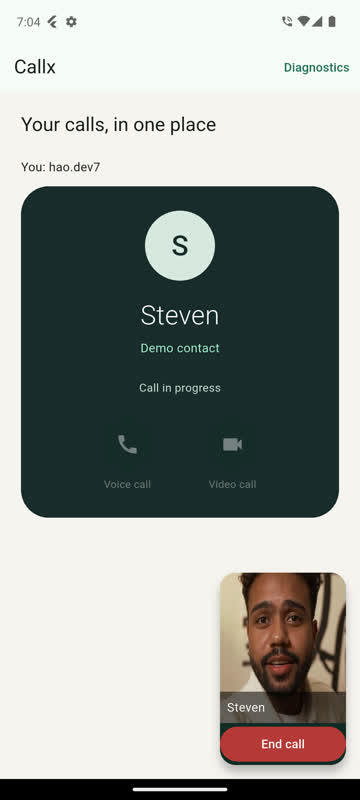
Picture-in-picture shows video or your colors and logo when the user leaves the app.
Explore this feature →
Actual Android emulator captures with native Telecom and LiveKit. Camera inputs are licensed sample clips. Check platform coverage and verification →
Latest release: 3.0.1
Backend events from Dart and JavaScript, cancel pushes that stop a ringing Android call, and a fixed missed-call Call back. 3.0.0 added audio routes, DTMF, caller-name updates and call back. Release notes · What has been verified
FlutterNative calls, Dart API and optional call overlay →React NativeNative calls, TypeScript API and optional call overlay →ExpoConfig plugin and development build setup →
import {Callx} from '@bear-block/callx';

const callx = new Callx();
await callx.setup();

// Incoming calls ring natively. Your UI follows the native state.
callx.observe(({call}) => render(call));

// Answer from your own screen; CallKit and Telecom stay in sync.
await callx.answer(callId);import 'package:callx/callx.dart';
final callx = Callx();
await callx.setup();
// Incoming calls ring natively. Your UI follows the native state.
callx.snapshots.listen((snapshot) => render(snapshot.call));
// Answer from your own screen; CallKit and Telecom stay in sync.
await callx.answer(callId);| Package | Flutter (pub.dev) | React Native (npm) |
|---|---|---|
| Core: CallKit and Telecom, push ingress, incoming UI, recovery | callx | @bear-block/callx |
| LiveKit audio/video adapter (optional) | callx_livekit | @bear-block/callx-livekit |
| Device-trial tools: call console, test pushes, conformance | @bear-block/callx-testkit |
Keep your own Dart or TypeScript screens, or use the call overlay and mini-call components with your colors, logo and controls. Native code owns the call lifecycle in either case. Picture-in-picture keeps a compact video or branded layout visible when the user leaves the app (experimental on iOS). A unified configuration for native, custom and supplied UI is planned.
| Provider | Status | Scope |
|---|---|---|
| LiveKit | Available: audio and video | Native media adapter for Flutter and React Native |
| Twilio Video / Programmable Voice | Planned next | Media adapter and a separate provider-managed signaling adapter |
| Zoom Video SDK | Planned | Audio/video media adapter |
| Agora | Planned | Audio/video media adapter |
Only LiveKit has a Callx adapter today. Planned adapters have no installable Callx package or release date. See the provider roadmap for dependencies and the providers queued by demand.
Callx is a library, not a calling service. It does not host signaling, send pushes or relay media. You keep your backend and your media provider; Callx makes the phone side of the call correct. Read why that boundary matters →
Callx is independent open source. Sponsoring it keeps it maintained through every iOS and Android release. Need calls in your app? Work with us.